
Category: Web Design
-

Micro-interactions | UI Animation
Microinteractions are the small details that make an app or website feel alive. When you do something—like click a button or swipe a screen—the interface reacts with a tiny animation. Purpose Adding animation is something most modern websites have nowadays. Some animation examples I found are on Svgator website, which are good references to look into. I…
-
Website Inspiration
Websites that I found on Webby Awards that have eye-catching designs SUJA ORGANIC Suja web design has a fresh look. I like how the color scheme matches with the organic/healthy products they advertise, bold simple fonts and simple ux animation throughout their site. It gives a clean look and advertise their products really well. PINHOOK…
-
Creating UX Storyboard
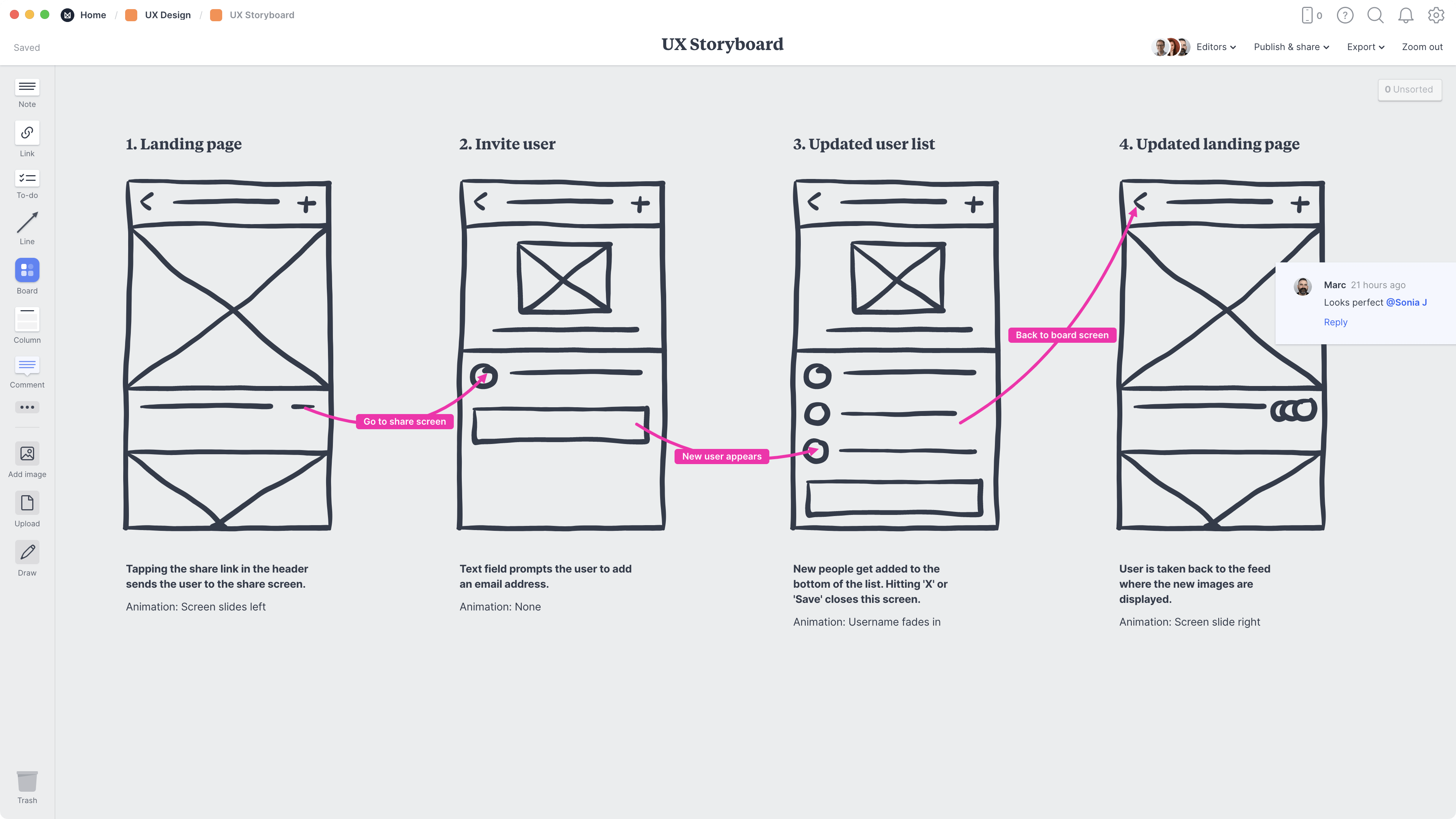
A UX storyboard is a visual sequence of illustrations or sketches that tells the story of a user’s experience with a product, service, or system Image from Figma. Storyboards are an essential visual narrative tool in design, translating a user’s complex workflow into a series of simple, connected panels that depict their actions and interactions over time. Their main…
-

Key features of mobile website design
Features for Mobile Design Effective mobile design requires a single-column vertical display to optimize content flow and eliminate horizontal scrolling. Usability is maximized by using large, highly visible, well-labeled buttons with contrasting colors, supported by a clean design that utilizes sufficient whitespace to improve readability and prevent user errors. Placing Calls to Action (CTAs) near the top of the screen for user to see…
-

Website Plugins
A website plugin is a software component that adds specific features or functionalities to an existing website without altering its core code. In my web design class, we discuss what are plugins and how we can use them in our websites. There are variety of plugins for different features but easy to add to your sites.…
-

Understanding Motion Graphics
What is Motion Graphic? Motion Graphics are animated graphic design elements like logos, text, and shapes that are brought to life with movement. Why is it important to learn in web design? It helps create more intuitive, memorable, and visually appealing websites, which can lead to increased user satisfaction, higher conversion rates, and a stronger brand presence. …
-
Web Design Trends
I’m still a beginner in designing websites, I tend create simple sites that are easy to navigate. I want to be able to be more creative and stand out. These are some of the videos I watch on learning the trends that other designers are implementing in their websites. Examples of trends: UX animation, Micro-interactions,…
-
What Is Design Thinking?
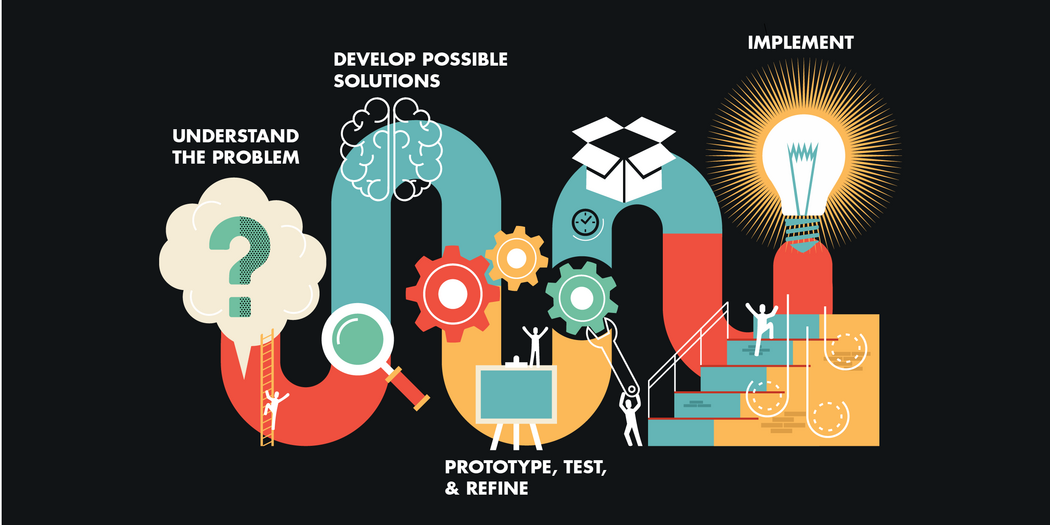
Design thinking– is a human-centered, iterative approach to creative problem-solving that focuses on user needs to develop innovative solutions. The process usually involves five phases: Empathize with users, Define the problem, Ideate potential solutions, Prototype those solutions, and Test them with users for feedback. There is no single definition or process for design thinking. The five-stage…
-

Understanding Typography
Typography is the art of arranging letters and text in a way that makes the copy legible, clear, and visually appealing to the reader. The videos below are videos on learning the basics of typography found on YouTube. I know typography is important for designers so I wanted to learn more about it. I already…
-
Key Principles inWeb Design
Continuing my journey in web design, this is one of Youtube videos I watched this week to learn and help me in web design. Ren Sagall discussed the importance of Navigation, Hierarchy and Colors. What I learned from the video: You want the user to be able to find what they’re looking for easily and…